Showing posts with label Technology. Show all posts

How You Can Motivate 21st Century Readers with Technology

Find out how using technology in the classroom to can help promote 21st Century Skills with your readers.

"You are not old until you feel old," is something I would say to my grandparents when I was a little girl. And gosh darn it, I certainly do not feel old, until my students start showing me up with their awareness and fluency of technology! The world our students are growing up in, is NOT the world we grew up in, no matter how old you are. But, it's our responsibility to equip our students with the skills that will be crucial to their success later in life. No pressure! ๐Ÿ˜…๐Ÿ˜‰
Before I share my four tips with you, I think it is important to share a little about "What are 21st Century Skills?" I feel like the phrase '21st Century Skills' is thrown around a lot, and has gotten a 'bad rep' as just a buzz word. But, I took some time in my third year of teaching (once I finally felt like I could get my head above water) to really try to better understand what everyone was talking about when they said "21st Century Skills". The website linked above was a big help, and I encourage you to check it out. In quick summary, they are the skills that will allow our students to be technologically savvy, strong communicators and superior critical thinkers.

Flip the format

Like I said, our students are growing up (and will work) in a different world than ours. They have a wealth of technology literally at their finger tips, and therefore unmatched access to information. We can help support them by introducing a variety of text formats. Playaways, Podcasts, eBooks, and even self-created audiobooks can help our students become more aware of the ever growing and changing technological world of theirs. 

Sharing our love of literacy is an imperative first step, but we have to continue exposing our students to the different technology tools that can also support them in their reading journey. Playaways, audiobooks, and text to speech tools, can help bring equity to our classrooms by allowing struggling readers to access information that would have caused them much frustration. Podcasts are a great way to expose our students to different viewpoints, and can help to develop students' critical thinking. One of my favorite lessons ever, was when I pushed into a fourth grade classroom. The students were listening to a podcast about a colonial trade (presented by tradesmen of Colonial Williamsburg), and taking notes for research. My struggling readers were never so engaged and actively participating, because all of a sudden, they were on an equal playing field.

Promote Creativity and Innovation

Following my students' extensive research of their colonial trade, it was time for them to 'show what they know'. They were given the chance to create a cartoon, with self-recorded voice overs. They included facts about their trade, and shared opinions about why their trade was important to colonial villages.

Here is a list of websites and apps that your students could use to make videos to 'show what they know'. My students used Toontastic, which is sadly no longer available. However, Animoto is another student friendly site that I have used in the past, which can accomplish the same outcome of creating animation.

You can further promote creativity and innovation by:

      Find out how using technology in the classroom to can help promote 21st Century Skills with your readers.
    1. giving up control to the students. By allowing students to spread their wings and take charge in their learning they will learn to develop their curiosity. 
    2. encouraging discussions. Students can learn best from each other, and the conversations will help them to begin developing the life long skills needed to work on a professional team. You can support your students in this process by providing sentence frames for accountable talk.
    3. providing time for reflection. When students are given time to critically reflect on the work they have done, they are able to consider things they would have done differently and open up the doors to more growth. 
    4. celebrating wins. Students deserve to know their work and effort is appreciated and recognized. Taking time to celebrate wins, even the small ones, will give your students the motivation and encouragement to keep taking creative risks. 

Collaboration is Key

A little side note: my husband works at a high level technological research university, and he often comments that his students struggle to work in teams. It has been his job, to teach leadership courses that would help these future engineers to develop stronger collaborative skills, and support them in working with a team. 

So, how can we help our students develop the skills they will need later in life? Teach them how to work collaboratively with their peers! We can incorporate daily opportunities for our students to work together. Even our youngest kiddos, can start by working together to complete a puzzle. We can progress them further by asking them to put the letters of the alphabet in order. We can ask our 2nd graders to become 'experts' on a topic, and then work with a partner to share facts that can later be used to complete an activity.  Our 4th/5th graders could complete a similar activity but on a grander scale with the whole class (World Cafe protocol). By requiring our students to rely on another, they can rise to the occasion to be a teacher, and a listener.
You can check out more collaborative protocols to use in your classroom here.

Taste of the "Real World"

I may be in the minority as I confess, I still hand write my shopping lists each week. There is just something about having a growing list on the fridge that everyone can add to (or forget to add to) each week as we run out of things. It's my system, and I like it. However, other than maybe a thank you note, when was the last time you hand wrote something of substantial meaning?

So, let's give our students more of what they will experience in the "real world" - TECHNOLOGY to help them complete a task. Most of our students are pretty savvy with playing games, drawing pictures, even my three year old can capture a pretty good picture. But these activities are not helping them to communicate with others to share their message or point of view.

You can incorporate technology and encourage teamwork with the use of a collaborative "whiteboard" like Padlet or Boardthing. With my littles, I have them work together to see how many phonics based words they can find during their independent reading. For my upper grade students, I propose a question, they can respond on the whiteboard, and their peers can read their response, before leaving feedback.

Is it just me, or does the world not function without Google Apps? I remember when my school finally converted to Google Accounts, I thought the skies opened up and rained Skittles (like only red ones too)! We can begin introducing our students to GAFE (Google Apps for Education) right away. My littles use Google Apps to complete word work activities (GOODBYE LETTER MAGNETS), my older students and I collaborate on their writing, and all of my students use graphic organizers on their devices to illustrate what they learned from a text.
Find out how using technology in the classroom to can help promote 21st Century Skills with your readers.
By introducing these different forms of technology, we can make great steps to expose our students to the types of experiences they will have in the future. 

SAVE THIS POST FOR LATER:
Find out how using technology in the classroom to can help promote 21st Century Skills with your readers.

I am by no means a 21st Century classroom expert, but I am trying and learning as I go. Each year, I challenge myself to get better at promoting innovation, creativity and collaboration with my students. Please feel free to share ways you have encouraged 21st Century skills in your classroom. I would love you to share your successes with us, so we can all be motivated to try something new or different this year!


Looking Back at Class Dojo: One Successful Year Later


When working with small groups, I rarely have behavior issues. So you may be asking yourself, "Why do you use a behavior management system, 
and how effective could it really be?"
Well, let me start off by saying that I have long struggled with how to motivate my students to develop positive reading behaviors. Behaviors like persistence, participation, and stamina, are just not yet a part of my students' independent reading toolbox.  However, I feel these behaviors help bring about the most success. 
So, I was very thankful I found Class Dojo. 


Class Dojo was very easy to start using! Once you create your account, you can start to add 'classes', 'students' and 'groups'. They even provide you with a demo class so you can practice with a "class" that won't be effected by the adding/subtracting of points, or adjusting the points criteria.  I suggest you play around the demo class for a little bit before creating your real class.

Once you are ready to make your own class(es), just click on the plus sign (similar to creating a new Pinterest board) and follow the prompts. Here is my desktop dashboard with all of the grade levels I work with.


A classroom teacher's dashboard would probably only have one class, but once you click into that class, you could have different groups. I have different groups based on my push-in and pull-out groups. This helps so I can award points to a whole group, rather than just individual students. Here is a picture of my 3rd grade groups. It's really nothing spectacular, but it is a great way to award points when the whole group is working collaboratively and actively working toward group goals.

So now that you have your students and groups all set up, you can also adjust your criteria for awarding and deducting points. You can edit this criteria to match whatever your classroom needs are.  At first I chose to only reward the positive behaviors, my students could not loose points. I really wanted to encourage my students to start participating and asking questions when they needed clarification. I also wanted to celebrate when my Tier 3 students met their weekly goals. I didn't feel these were points that should be taken away from them, once they were earned! I can also adjust the points value, so if I really wanted to encourage "Strong Reading Stamina", I might bump that up to 3 points for a little bit.

Class Dojo has a really fun chime when positive points are awarded, and a really bumming buzzer when points are deducted. I found these to be slightly distracting.  If I didn't immediately award points, I would forget to give them out, and then also forget to directly acknowledge the student modeling the positive behaviors.  If I gave the points, with the sound on, students wanted to know who it was for and why - my lessons came to a bit of halt so we could talk about the behaviors.  Instead, I chose to turn off the volume on my iPad, and when we had a transition, I commented on the students who did a great job and had earned additional points. Problem solved!

But wait...there is more to Class Dojo. It is not just a behavior management tool...yes, it does get even better!

Class Dojo has a parent communication tool.  It actually looks quite a bit like a Facebook Wall, and a text messaging app (so it is very user friendly). Families can provide an email or a phone number in order to access their child's account. They can see the points that were awarded (or deducted) that day/week. They have the opportunity to message you (the teacher) privately, that is the text message or email similar portion. I have heard there is a way to set "office hours" so families know when to expect a response, or quiet hours - however I have not found how to set that. Please share in the comments if you have figured out that feature!

Then, you can also have a "Class Story" that mimics a Facebook Wall.  You can post updates,
reminders, pictures, and more. Families can comment publicly and interact with the other families in your classroom.  What a great way to build classroom community, beyond the walls of your classroom. If you have been hesitant about starting a class Instagram or Twitter because of the public views, this may be a good place to start, because the only people that can see the account are those that have given you their phone number/email, and YOU have given access by invite.

But wait...there is more to Class Dojo.  It is not just a behavior management and communication tool...yes, it does get even better!

Class Dojo has some pretty fabulous features that allows it to be a great tool for progress monitoring.

For instance if you have a student that is struggling with behaviors, you
can monitor how those behaviors are improving over time - you have the option to view various time frames (this week, previous week, this month, previous month). And, with the awesome graph, you can visually see how these behaviors are improving as well.

In my classroom, I had a student that was struggling to work independently.  I knew that I would be adding and DEDUCTING points for this specific skills, so I created a SECOND avatar for this kiddo. With his classroom teacher, we set a reasonable goal of "Kiddo will be able to work independently for three minutes." After three minutes, I would check in with him to see the work he completed, if he was on-task and the work was satisfactory, he earned a point for meeting his goal. If he was distracted, or did not complete the expected work, points were deducted. He could visually see his progress, percentages were readily available for us to review as well. As a team, we were able to use this data to adjust his goal.  Not only did we up the time on task from 3 minutes, to 15 minutes throughout the year, but we also increased his percentage of completion from on task 70% of the time, to 90% of the time. This data tracking would have been so much more difficult without Class Dojo. Just the click of a button allowed for us to have this amazing information available for the student, team and family!

The good news is, Class Dojo is always adding more fabulous features. Just last week, they added student portfolios. I haven't had a ton of time to explore this new feature, but from what I have seen, it looks like the progress monitoring options are only getting better! 

My students had a lot of fun with Class Dojo this school year, and I'll be honest, I did too. During the last month of school, I had a lot of families ask about what they can do over the summer to help their children practice reading.  I heard so much about the struggle with getting the kids motivated to read!

I think we have all experienced the resistance students have to read.  Even if we have worked through that road block in the classroom, when we send these kiddos off on summer vacation, they lack the extensive classroom libraries and guidance we provide them when selecting quality reading material. They miss our encouragement and "hip-hip-hoorays!"

I have sent home BINGO boards, summer reading packets...you name it, I've probably sent it home.  But sadly, it either doesn't come back, or it comes back incomplete and poorly done. Ugh! So this summer I decided I was going to start a "Book Club" on Class Dojo. I sent home a letter explaining the plan, and asked families to sign up/volunteer their participation. I advertised this book club as a fun way to keep reading. The pressure would be low, but engagement would be high. I explained, I know summers are busy, so it wouldn't be a huge time commitment.  With about ten students in my book club, I was pretty pleased with the response. Not shabby for my first year.

So what have I been up to with this book club so far this summer?
Each Monday (at 11:00 A.M.) an alarm goes off on my phone to remind me to send out my weekly challenge.
On the "Class Story" page, I type up a quick check in. You know students love to know about more about us, so I told them we went to the zoo and the lake. I told them Mr. Christensen celebrated his birthday and because he doesn't like cake, I had to make a giant cookie! I usually give a shout out to one of my readers, and encourage everyone to keep going because I LOVE finding out what they are reading. Then I give them their actual challenge. It is different each week, and flexible.

Here are my weekly challenges so far:
Week 1: Read outside (it was the first week of summer vacation and the weather was PERFECT!)
Week 2: 4th of July so I asked them to read a book about summer, or a book about our country
Week 3: My family went to the zoo, so I asked my kiddos to read a book about their favorite animal
Week 4: It was forecasted to be pretty rainy, so I asked them to build a tent and read in it.
BONUS: Flashlight Friday - we do this in school sometimes and they love it. We turn off the lights and read with flashlights.

To check in, my students/parents send me book titles, reviews, summaries, highlights, hand-drawn pictures, or photos of them reading. Whatever they want to show/tell me about their reading. With all of this, I can be pretty confident that my students read at least ONE book that week.

With this summer reading challenge, I have coordinated with a local ice cream shoppe - any student that completes 70% of my challenges,  will get a coupon for a free ice cream sundae.

However, throughout the school year, I have a different reward system.  Just as the point criteria is flexible, I wanted my reward system to be flexible too.

I really didn't want my students to model these essential reading behaviors just because they were going to get rewarded. So I developed a system that could be adjusted throughout the year. On a daily basis, I awarded my students Dojo Points.  In the beginning of the year, it was like every minute - we really needed to correct some lax summer habits! As the year progressed, my kiddos needed to work for it a bit more.

In conjunction with the Dojo Points, I allowed my students to cash in
points, for Dojo Dollars. At first three points = $1.00, then it was five points = $1.00

https://www.pinterest.com/pin/183873597265939488/Then finally, my students could use their Dojo Dollars to buy
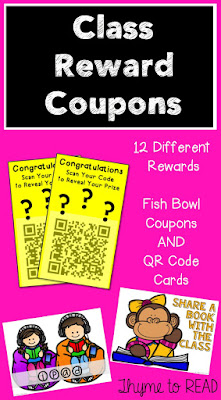
coupon reward cards.  Again, throughout the year I 'upped the ante' by increasing the cost of the rewards.

My students were completely fine with me upping the stakes throughout the year, they knew to expect the unexpected with me! I would reward them "gimme weeks" when I would make the reward cards $1.00 and give points away like crazy (weeks following holidays and vacations so I could re-establish expectations).

https://www.teacherspayteachers.com/Product/Class-Reward-Coupons-with-QR-Code-Option-2683451If you have a special coupon request that you would like for your classroom, please leave your request in the comments below, or email me at, megan.thymetoread@gmail.com
You can grab my Class Reward Coupons with QR cards, HERE

If you are looking for more information about Class Dojo, here are a few other blog posts you might enjoy! They are filled with more ideas and systems that might work in your classroom.

Going Strong in 2nd Grade: Class Dojo (multiple posts)
Teaching Trio: Using Class Dojo Effectively
Edutopia: Classroom Behavior? There's an app for that
Sixth Grade Tales: A management system that works!

If you use Class Dojo, I welcome you to share your experience in the comments below. If you have a blog post you would like to share, please feel free to drop a link in the comments as well.

Pin for later:
https://www.pinterest.com/pin/183873597265939548/

Check out these other related posts:
Reward Reading with Reading Prizes
Quick Tips to Become a Better Teacher
What is in Your Teacher Survival Kit?


Motivate Your Readers with an EPIC! App


Teacher confession: I would not describe myself as the best at incorporating technology into my intervention lessons. Do my students use their iPads? YES! I have a few drawing apps that my students can use to build words (rather than using magnets).  I have downloaded several games they can use to review skills while I am conducting assessments. But to me, that is not making adequate use of the technology.  I want my students learning about the information that is available to them, and how to interact with the technological world they are growing up in. Finally, back in December, I was introduced to EPIC!, a digital library that offers countless texts for young readers. It is currently a FREE app (for educators) that allows your students to have access to high-quality, diverse texts that meets the interests of all my students. 
This was exactly what I was looking for!

 Setting Up Your Account

EPIC! can be set up from a smart device, or your computer. I actually think setting up the accounts and monitoring your students is easier from a computer. But when your students are searching and reading, the iPad version is more user friendly.

To create an account, you just need to give some basic information about your school and use a school/educational email.

On your teacher dashboard, you can create separate student accounts. On the student end, (which I will explain in just a minute) students can take a survey to help customize their library.  I strongly recommend you take advantage of the separate student accounts. Even if you plan to only use EPIC! to select titles for a guided reading groups, whole class read alouds (projected on a SmartBoard) or supplementary content material, these student accounts will come in handy. Beside, if your students are like mine, they will love knowing that they have a personal library!

In your "teacher library" you can create collections that can be shared with students. I use this feature to assign specific titles to my kiddos. During assessment windows when the RtI team (3 teachers) has 30 students in the room, but we are only assessing THREE at a time, we need an easy to manage activity that keeps the kids quiet, focused and engaged. With these libraries, I can also create and assign quizzes. These quizzes are a simple way to keep my students on task and hold them accountable for their independent reading. I also have created a "collection" of just one book so I can assign a specific book for a guided reading group. This ensures that my students will get a notification in their "mailbox" and we do not need to take time finding the book - it just right there for them! The book below was a perfect fiction text pairing for a non-fiction text that my students were reading from our Fountas and Pinnell Level Literacy Intervention (LLI) kits.

IF you thought being able to suggest books to students, and essentially message them the title was cool...hold on! The teacher dashboard is my favorite part! On your dashboard, you can see how many books, and how many hours your class has read as a whole. This is a perfect way to set class goals, graph monthly totals and compare numbers from month to month. You also get a snapshot of each student account, that shows how many books they have finished, and how many hours they have read. If you choose, you can look even closer as each student's reading log. This will tell you so much information, included how many pages have been flipped, in a certain amount of time. This is a great way to spot FAKE READING, and have a one on one conference with the student about their reading behaviors. It's also a great opportunity to make use of the teacher collections and begin suggesting titles to help those lovies make good choices.

I will say a feature that is currently lacking is access to reading levels. Some of the texts are leveled by Lexile, but for the lower level texts,  there is not enough information to match students with independent level texts.  I thought that by dropping the age range on the initial student profile it would help level the books more effectively, but it only changed the interest topics.  My below level second graders did not enjoy seeing ABCs and Where is Baby's Belly Button? in their recommended book list.  Oops!

Inside Your Student Accounts

You and your students can create personalized accounts that are password protected. I use my students' lunch numbers. Upon first getting into their account, they will be promoted to take the interest survey. Your students can select their age (interest level), as well as interesting topics (animals, sports, science, etc). The app does suggest other titles outside of the selected topics, so don't think if your student only likes sharks, that those will be the only books available. After that, they are ready to read!

I have taught my students three different ways to read on EPIC!  Browse, Sort and Search.

Students can BROWSE the books that are recommended for them based on the results of the interest survey they took when setting up the account.  This feature is a lot like standing at the bookstore, looking at a wall of thousands of books, and the ones that you would be most interested, in glowing in bright neon. This is a great place for your students to find new and interesting books. They can also browse top rated books that have been "liked" or recommended by students similar to them.

Students can also SORT books.  If you have a listening center during your literacy stations, or if you have been meaning to establish one, this is the answer to your longing wishes! Students can sort books based on text type - one of those choices is "Read to Me."  For my struggling readers, this has been amazing. They can choose from a HUGE library of books that not only interest them, but also will be read aloud.  I get each of my students a Dollar Store pair of ear buds to keep in my room so they do not have to share (yuck!), they can grab them as they need them and set up their own listening station as needed. The sorting doesn't stop there. Are you doing a genre study on fantasy? You can guide students on how to sort the available texts and view different genres. EPIC! can save you planning time, because you no longer need to go to the library and hunt for tons of fantasy books to fill your shelves with.

Lastly, your students can SEARCH for specific titles or subjects. I had a second grader, who loved EPIC! so much, she asked her family to purchase the home use version. At home, she found a princess story, and wanted to find it, so she could finish it at school.  WHAT? My struggling reader started a book at home that morning, and was so anxious to come to me, so she could finish reading it. MY TEACHER HEART IS HAPPY! You can also search for a specific topic. While your results may be limited, you might find a wonderful text to help you differentiate your lesson. My fourth graders are just starting to study the Revolutionary War. The classroom teacher and I were on a hunt for lower level texts and struggling to find something. I turned to EPIC! and sure enough there was a text that was a "Read to Me".  It provided an easy to follow fiction story, but also included enough facts for the student to participate in a group discussion.

Managing Student Accountability

My biggest fear during an independent task, is managing student accountability. I want my students engaging in meaningful practice, and what could be more meaningful than practicing reading.  I actually like having the students read in EPIC! better than reading from their choice book folder. EPIC! tracks student work and time on task! Not only can I see what books my students have read, and on what date, but I can also see how long it took them to complete the text. As I mentioned before, this dashboard area is a great place to monitor your students, and begin shaping conversations to have during individual student conferences regarding reading behaviors. The information provided is also a great source of evidence if you are collecting data for a self-management goal.

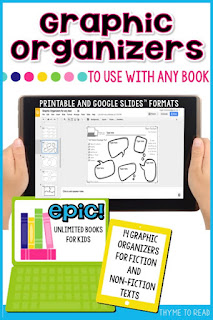
Unfortunately, the threat of "I'll be watching you!" didn't dig deep enough with some of my students, so I created simple reading response graphic organizers.  The note catchers help keep my students engaged, while allowing me to monitor their thinking when they are working independently.  The response pages work with any text available on EPIC! (or any book in general).
Over time, I explicitly introduce the graphic organizers within a guided lesson, to be sure the students knew how to use them appropriately.  With your instruction, students can learn to use the many different types of graphic organizers available to them. Under your supervision, you can discuss how to pick graphic organizers appropriate for different books. Once your students are familiar with the graphic organizers, they just need to select one that allows them to "show what they know" best.

I created paper and pencil version for my younger students who were not yet comfortable with typing, but I also share a Google Slide™ version with my older students, so they can continue working on their iPad. My students have the freedom to pick which version best fits their independent level.

Fourteen, half-page, graphic organizers in PDF form for easy printing or Google Slides, for digital use. Students can type right on the embedded graphic organizers.
After my students complete a graphic organizer, they turn it in so I can check it over. I compare their notes to the dashboard. Did they skim a book to fill out the graphic organizer? Or was there some real reading going on that should be praised?! Either way, again these are topics to bring up with your students during conferences. I save their graphic organizers in a folder so I can see:
Are they using a graphic organizer effectively?  Maybe I need to teach a fix-up lesson.
Are they picking the same graphic organizer, over and over? Maybe I need to teach a lesson on another skill for them to feel more comfortable branching out.

Lastly, similar to the teacher dashboard, these graphic organizers can be a great piece of data. They serve as great samples of student work to show independent progress.


Are you interested in trying out the EPIC! app? You can start your FREE account HERE.
Have you been using EPIC for a bit? What was a shining moment for your students, or what was a struggle? Please share your story below.

PIN THIS POST FOR LATER
Find out how an EPIC! app can help improve your literacy centers, student accountability and individual student conferences!

Check out these related posts:
Update your Prize Box
Fabulous Small Reading Groups
21st Century Learners


Powered by Blogger.
Back to Top